
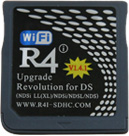
Now,here is five steps to help owners how to upgrade r4i_sdhc for dsi(1.42)?Plesase read carfullly,so that you can upgrade in a right way.
V1.4.2 hardware upgrade
1.First,put the SD card in a read card then connect it in your prcomputer,then go to go to www.r4i-sdhc.com and download the latest kernel 1.37b.
2.Next,Go to www.r4i-sdhc.com again and then download the dsi(1.42) upgrade package of purple r4i-sdhc.Unzip and copy the files(fwup142.nds ) to the root of MicroSD card.
3.Third,drawn the Micro SD card from the card reader,and insert the Micro SD card in to the r4i-sdhc card,and then insert the r4i-sdhc card in to your Nintendo console,ndsdsldsidsilldsixl consoles are avaiable,then start.
4.At last,press “A” button to run the upgrade file fwup142.nds.Now the upgrade was complete.
Notice:When upgrading the R4i-SDHC 3DS flashcard, it is not permitted to turn away energy or pull out r4i- sdhc,otherwise it will harm the r4i-sdhc card.
Here,if you still don’t know how to do the r4i_sdhc upgrading,take it easy,i will show you a Video which can solve your upgrade proble,i am sure,it will do you a dead.
Video on the R4i SDHC update to DSi V1.4.2

No comments:
Post a Comment