
Here is the guide to replace your nintendo wii bluetooth board, you can follow it step by step , and you need to remove most of the components inside the wii.Be careful when you do it.
Tools you need in this guide
1. Metal Spudger
2. Phillips #00 Screwdriver
3. Spudger
4. Tri-wing Screwdriver
5. Tweezers

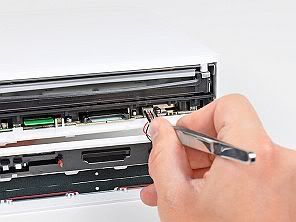
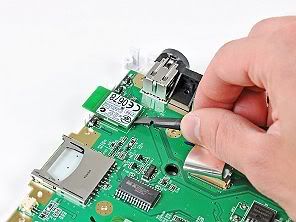
Use a pair of tweezers to disconnect the LED cable from the motherboard.
Remove the faceplate.
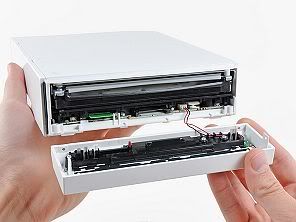
Pull the controller port cover straight up to release it from the outer case.
Repeat this procedure for the memory card port cover.
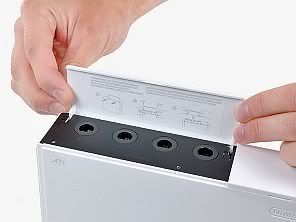
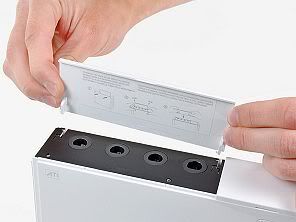
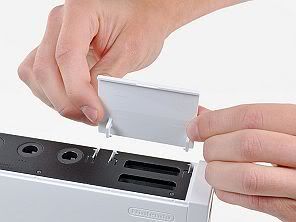
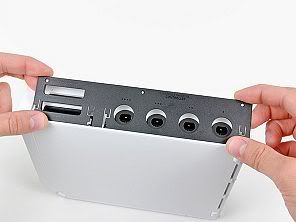
Lift the bezel from the long edge furthest away from the controller ports and remove it from the Wii.
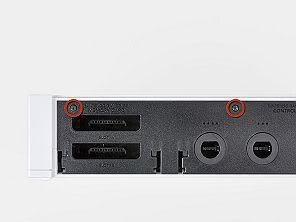
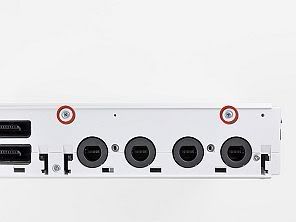
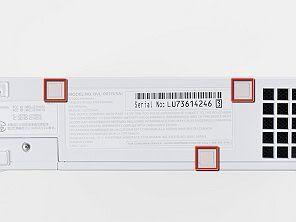
Two 5 mm Phillips screws
One 8.2 mm Tri-Wing screw
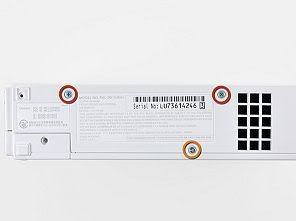
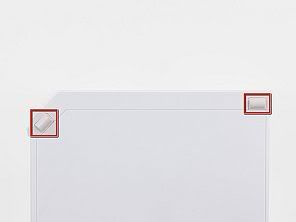
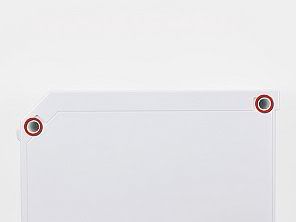
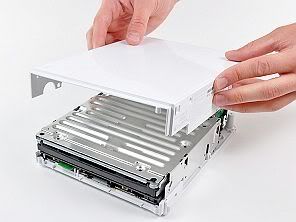
This screw is captive to the battery door.
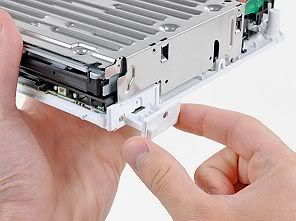
Pull the battery door out of the Wii.
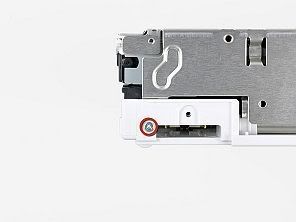
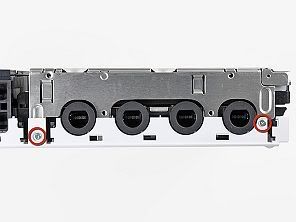
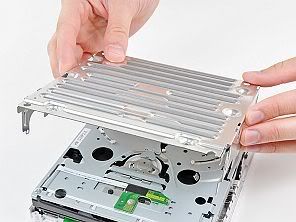
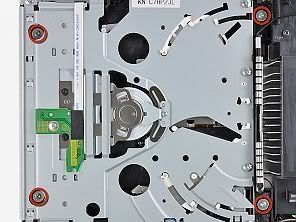
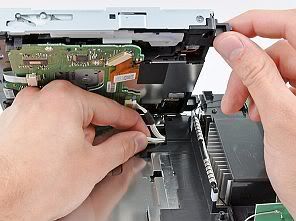
Carefully pull the DVD drive power cable out from under the plastic shroud near the heat sink.
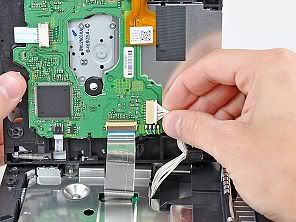
Be sure you are prying up on the retaining flap, not the socket itself.
Pull the DVD drive ribbon cable out of its socket. Remove the DVD drive from the Wii.
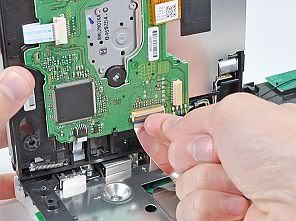
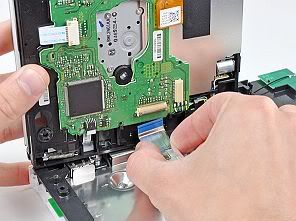
Be sure your tweezers are clamped down on the fan connector, not the socket on the motherboard.
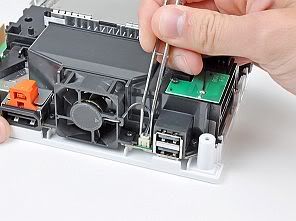
Remove the fan from the Wii.
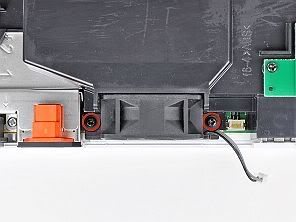
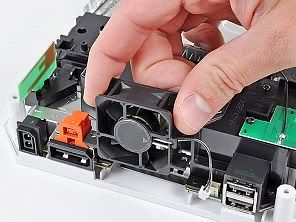
Lift the Wi-Fi antenna out of the fan shroud.
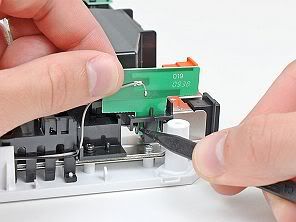
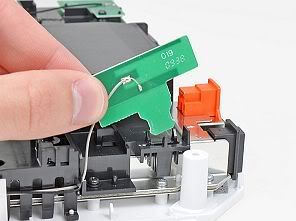
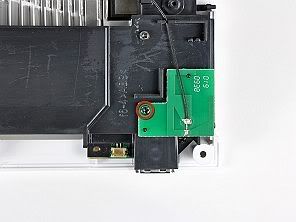
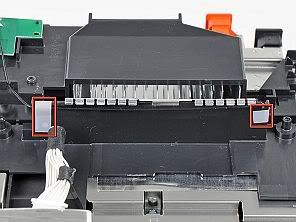
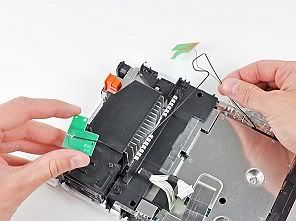
Lift the fan shroud off the heat sink and remove it from the Wii.
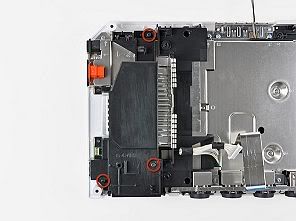
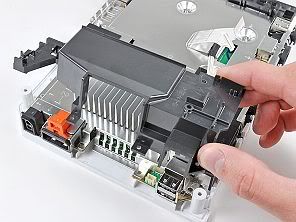
Four 7 mm Phillips screws
Two 11.3 mm Phillips screws
Remove both sets of EMI fingers from the Wii.
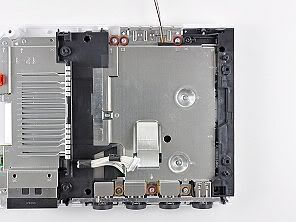
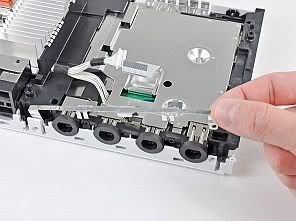
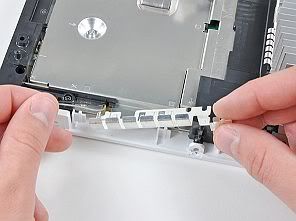
One 7 mm Phillips screw
Two 10 mm Phillips screws
Lift the bracket out of the Wii.
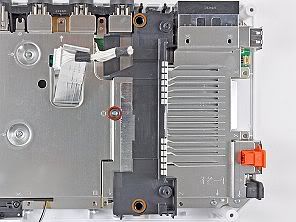
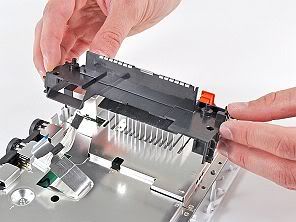
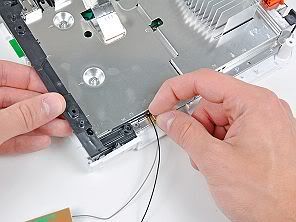
Slightly lift the bracket and use your other hand to pull the retaining clip away from where the Wi-Fi antennas enter the motherboard sheild.
Remove the bracket from the Wii.
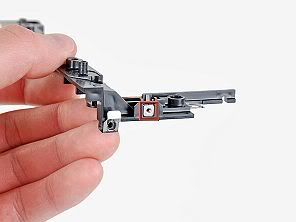
Be sure not to lose the small square nut loosely held by the black plastic bracket.
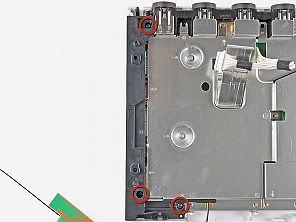
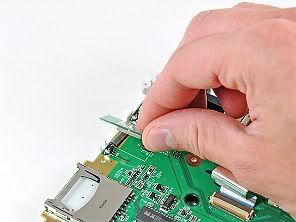
Carefully peel the front edge of the Bluetooth board off the EMI foam attached to the motherboard.
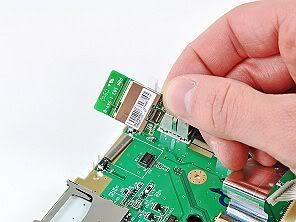
Remove the Bluetooth board.
Here is the link for you to buy the wii bluetooth board or other Wii accessories
Tools you need in this guide
1. Metal Spudger
2. Phillips #00 Screwdriver
3. Spudger
4. Tri-wing Screwdriver
5. Tweezers
Step 1 – Faceplate
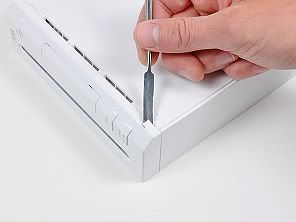
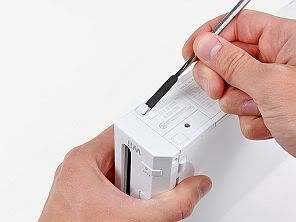
Use a metal spudger to remove the white plastic screw covers stuck to the lower case near the front of the Wii. Step 2
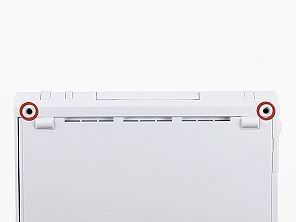
Remove the two 8.3 mm Tri-Wing screws hidden under the covers you just removed.Step 3
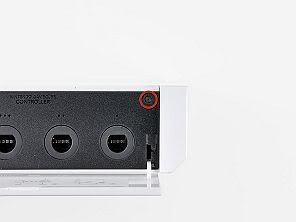
Remove the single 5.9 mm Phillips screw under the controller port door nearest the faceplate.Step 4
Use a metal spudger to remove the rubber foot stuck to the side of the Wii near the DVD drive opening.Step 5
Remove the single 5.9 mm Phillips screw hidden under the foot you just removed.Step 6
Carefully pull the faceplate away from the front of the Wii.Use a pair of tweezers to disconnect the LED cable from the motherboard.
Remove the faceplate.
Step 7 Outer Case
Open the controller port cover until it is perpendicular to the black controller port bezel.Pull the controller port cover straight up to release it from the outer case.
Repeat this procedure for the memory card port cover.
Step 8
Remove the two remaining 4.1 mm Phillips screws along the top edge of the black plastic controller port bezel.Lift the bezel from the long edge furthest away from the controller ports and remove it from the Wii.
Step 9
Remove the two 5 mm Phillips screws above the controller ports.Step 10
Use a metal spudger to remove the three highlighted screw covers stuck to the side of the Wii.Step 11
Remove the following screws:Two 5 mm Phillips screws
One 8.2 mm Tri-Wing screw
Step 12
Use a metal spudger to remove the two rubber feet stuck to the bottom face of the Wii near the rear ports.Step 13
Remove the two 8.2 mm Tri-Wing screws hidden under the feet you just removed.Step 14
Lift the outer case straight up off the body of the Wii.Step 15
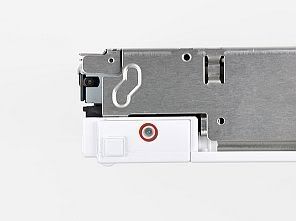
Remove the small Phillips screw securing the battery door to the bottom panel.This screw is captive to the battery door.
Pull the battery door out of the Wii.
Step 16
Remove the 8.2 mm Tri-Wing screw that was hidden beneath the battery door.Step 17
Remove the two 8.2 mm Tri-Wing screws securing the DVD drive shield near the controller ports.Step 18
Lift the DVD drive shield upward and remove it from the Wii.Step 19
Remove the four 9 mm Phillips screws securing the DVD drive to the bottom panel.Step 20
Lift the side of the DVD drive opposite the controller ports enough to access the cables on its bottom face.Carefully pull the DVD drive power cable out from under the plastic shroud near the heat sink.
Step 21
Pull the DVD drive power cable away from its socket on the DVD drive.Step 22
Use your fingernail to flip up the retaining flap on the DVD drive ribbon cable socket.Be sure you are prying up on the retaining flap, not the socket itself.
Pull the DVD drive ribbon cable out of its socket. Remove the DVD drive from the Wii.
Step 23
Use a pair of tweezers to lift the fan connector up and out of its socket on the logic board.Be sure your tweezers are clamped down on the fan connector, not the socket on the motherboard.
Step 24
Remove the two 10 mm Phillips screws securing the fan to the fan shroud.Remove the fan from the Wii.
Step 25
Use the tip of a spudger or another fine-pointed tool to carefully pry one of the black plastic retaining fingers attached to the fan shroud away from the Wi-Fi antenna board.Lift the Wi-Fi antenna out of the fan shroud.
Step 26
Remove the single 10 mm Phillips screw securing the second Wi-Fi antenna to the top of the fan shroud.Step 27
Remove the two pieces of tape securing the second Wi- Fi antenna cable to the plastic bracket near the heat sink.Step 28
Carefully de-route both antennas from the frame of the Wii and lay them aside.Step 29
Remove the three 10 mm Phillips screws securing the fan shroud to the Wii.Lift the fan shroud off the heat sink and remove it from the Wii.
Step 30
Remove the following six screws securing the EMI fingers to the bottom panel:Four 7 mm Phillips screws
Two 11.3 mm Phillips screws
Remove both sets of EMI fingers from the Wii.
Step 31
Remove the following three screws:One 7 mm Phillips screw
Two 10 mm Phillips screws
Lift the bracket out of the Wii.
Step 32
Remove the three 10 mm Phillips screws securing the black bracket to the bottom panel near the front of the Wii.Slightly lift the bracket and use your other hand to pull the retaining clip away from where the Wi-Fi antennas enter the motherboard sheild.
Remove the bracket from the Wii.
Be sure not to lose the small square nut loosely held by the black plastic bracket.
Step 33
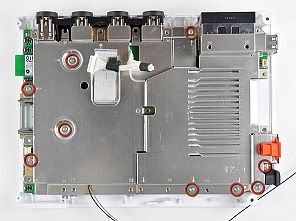
Remove the nine remaining 7 mm Phillips screws securing the motherboard cover to the bottom panel.Step 34
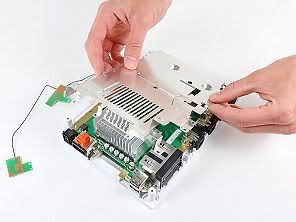
Carefully lift the motherboard cover off the motherboard, minding any cables that may get caught.Step 35
Step 35 – Bluetooth Board Use the flat end of a spudger or your fingertips to lift up the end of the Bluetooth board nearest the center of the motherboard.Carefully peel the front edge of the Bluetooth board off the EMI foam attached to the motherboard.
Remove the Bluetooth board.
Here is the link for you to buy the wii bluetooth board or other Wii accessories

No comments:
Post a Comment